Getting started#
Creating an app#
Banjo can be installed with pip install django-banjo.
To write a Banjo app, create a folder called app, define models in
models.py and define views in views.py. Here’s a simple example.
Models#
First, we define our models. Banjo provides five field types:
BooleanField(True,False)IntegerField(1,-102)FloatField(0.045,11.5)StringField("alligator","hazelnut")ForeignKey(An instance of another model)
Create a Model for each object your app will interact with.
# app/models.py
from banjo.models import Model, StringField

class Animal(Model):
    name = StringField()
    sound = StringField()
Views#
Next we define our views. Each view is a function which receives a dict
(called params in the example below) and which must return a dict.
Use the banjo.urls.route_get and banjo.urls.route_post
decorators to route URLs to your view functions.
# app/views.py
from banjo.urls import route_get, route_post
from app.models import Animal

@route_post('newanimal', args={'name': str, 'sound': str})
def add_animal(params):
    animal = Animal.from_dict(params)
    animal.save()
    return animal.to_dict()

@route_get('listen')
def list_animal_sounds(params):
    sounds = []
    for animal in Animal.objects.all():
        sounds.append('{} says {}'.format(animal.name, animal.sound))
    return {'sounds': sounds}
Some views, such as “newanimal,” require arguments. When a view requires
arguments, pass an args dict to the decorator to specify the
expected names and types of arguments. Argument types must be str,
bool, int, or float.
Running the app#
Now you can run banjo from the directory containing the app
folder and the server will start. Use the --port command to serve
from a custom port; the default is 8000. You can also pass --debug, which
launches the app in Django’s debug mode.
Banjo provides a visual API browser at /api.
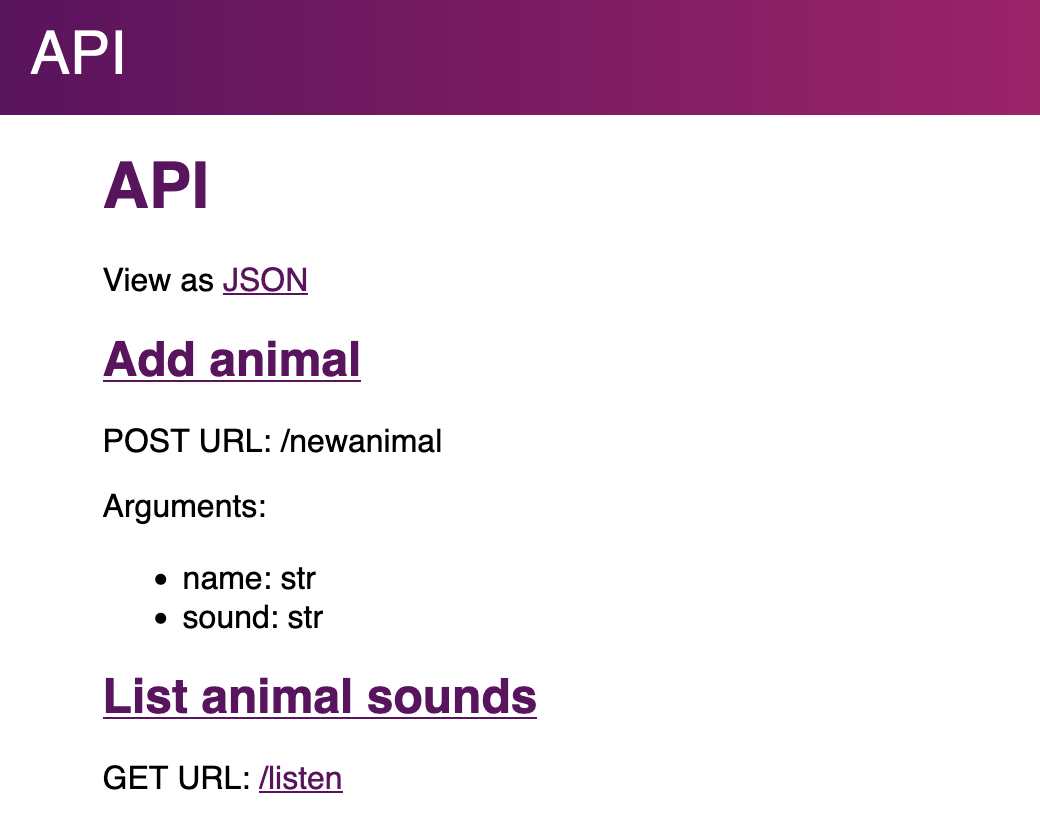
Screenshot of visual API browser#
Here is an example of interacting with this app using the httpie command-line utility:
$ http localhost:8000/newanimal name=elehpant sound=pffffftttttt

{
  "id": 1,
  "name": "elephant",
  "sound": "pffffftttttt"
}

$ http localhost:8000/newanimal name=squirrel sound=chcheee

{
  "id": 2,
  "name": "squirrel",
  "sound": "chcheee"
}

$ http localhost:8000/listen

{
  "sounds": [
    "elephant says pffffftttttt",
    "squirrel says chcheee"
  ]
}
Shell#
You can also interact with your app’s models from a Python shell. Just
pass the --shell argument to banjo:
banjo --shell
>>> Animal.objects.count()
2